
Clash Detection in BIM: Saving Millions Before Groundbreaking
Learn how virtual clash detection prevents costly on-site rework and streamlines MEP coordination in complex projects.
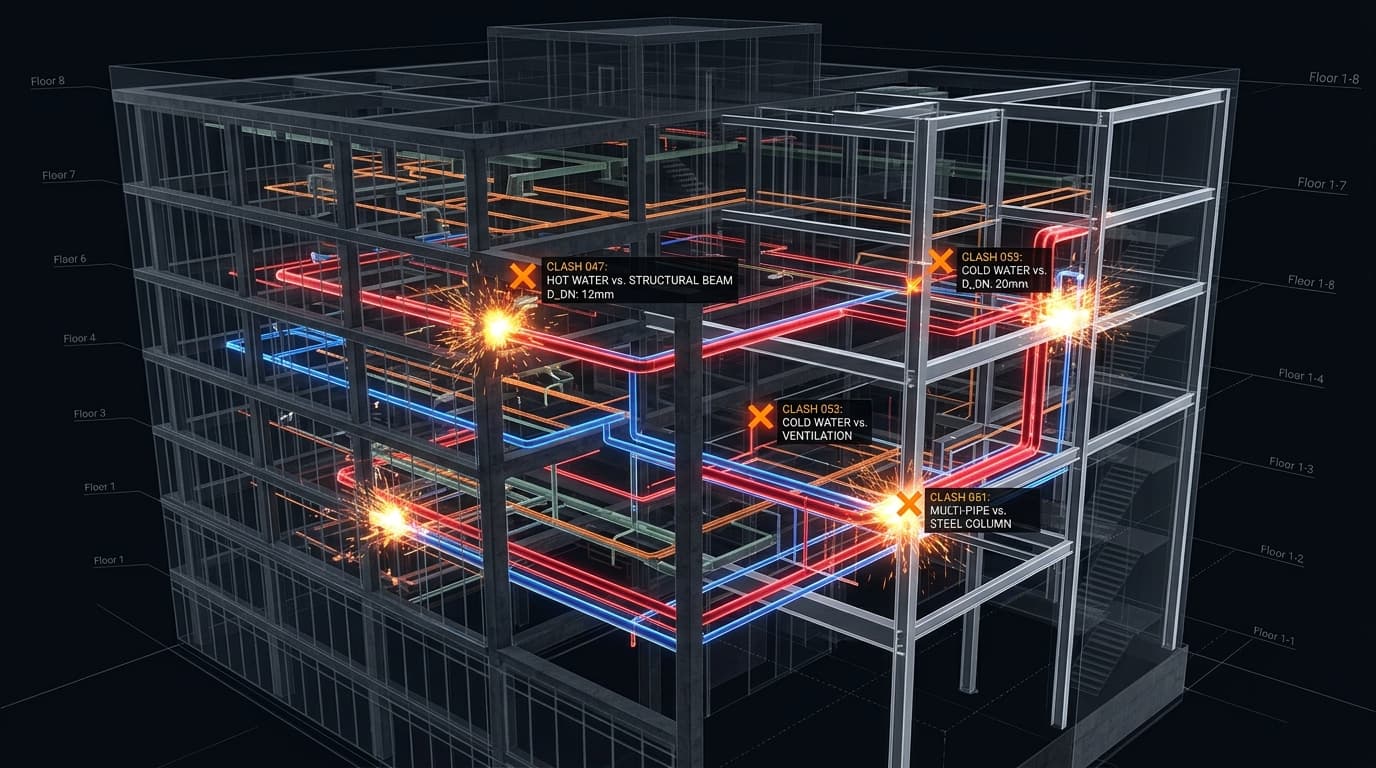
Imagine pouring 500 cubic meters of high-grade concrete for a multi-million dollar high-rise floor slab, only to discover three weeks later that a massive 1-meter-wide HVAC duct is routed straight through a primary load-bearing structural beam.
In traditional 2D CAD construction, this nightmare scenario was a frequent, incredibly stressful, and financially devastating reality. Today, Building Information Modeling (BIM) has completely eradicated this through the process of virtual Clash Detection.
Industry Fact: Resolving a hard clash virtually in Navisworks costs approximately $50 in engineering time. Resolving that same clash on-site with physical demolition, rework, and material waste can easily cost upwards of $15,000.
What is Clash Detection?
Clash detection is the highly systematic process of integrating 3D models from various engineering disciplines (Architecture, RCC Structure, Steel, MEP - Mechanical, Electrical, Plumbing) into a single federated model to automatically check for spatial conflicts.
- Hard Clashes: When two solid objects physically intersect each other (e.g., a plumbing pipe running directly through a structural steel column, or an HVAC duct hitting a concrete shear wall).
- Soft Clashes (Clearance Clashes): When an object intrudes into the required maintenance clearance or safety tolerance zone of another (e.g., a duct placed too close to a high-voltage cable tray, violating fire safety codes, or a pipe blocking access to a maintenance valve).
The Virtual Clash Resolution Workflow
BIM Coordinators use specialized software like Autodesk Navisworks Manage to automate and track this complex process:
- Federate the Models: Combine the native Revit or Tekla models from all engineering teams into one lightweight NWD file.
- Run the Matrix: Execute automated clash tests between specific systems based on priority (e.g., Structural vs. HVAC is tested before HVAC vs. Plumbing).
- Review and Assign: Group related clashes (e.g., one pipe hitting 5 beams is grouped as one issue) and assign them to the responsible discipline engineer for resolution.
- Update the Design: Engineers adjust their native models, re-upload them to the Common Data Environment (CDE), and the BIM Coordinator re-runs the test to verify the clash is resolved.
Beyond Just Saving Money
While the direct financial savings of preventing physical rework are massive, clash detection also ensures strict adherence to the project schedule. By solving complex spatial problems in a climate-controlled office months before construction begins, rather than panicking on a chaotic site, projects maintain their critical path momentum and deliver higher quality finishes.
Master Autodesk Navisworks, virtual coordination, and 3D modeling in our advanced Building Information Modeling (BIM) program.